
Job management for tradespeople.
Retire the spreadsheet.
Job management, done right, for small teams that run big days.
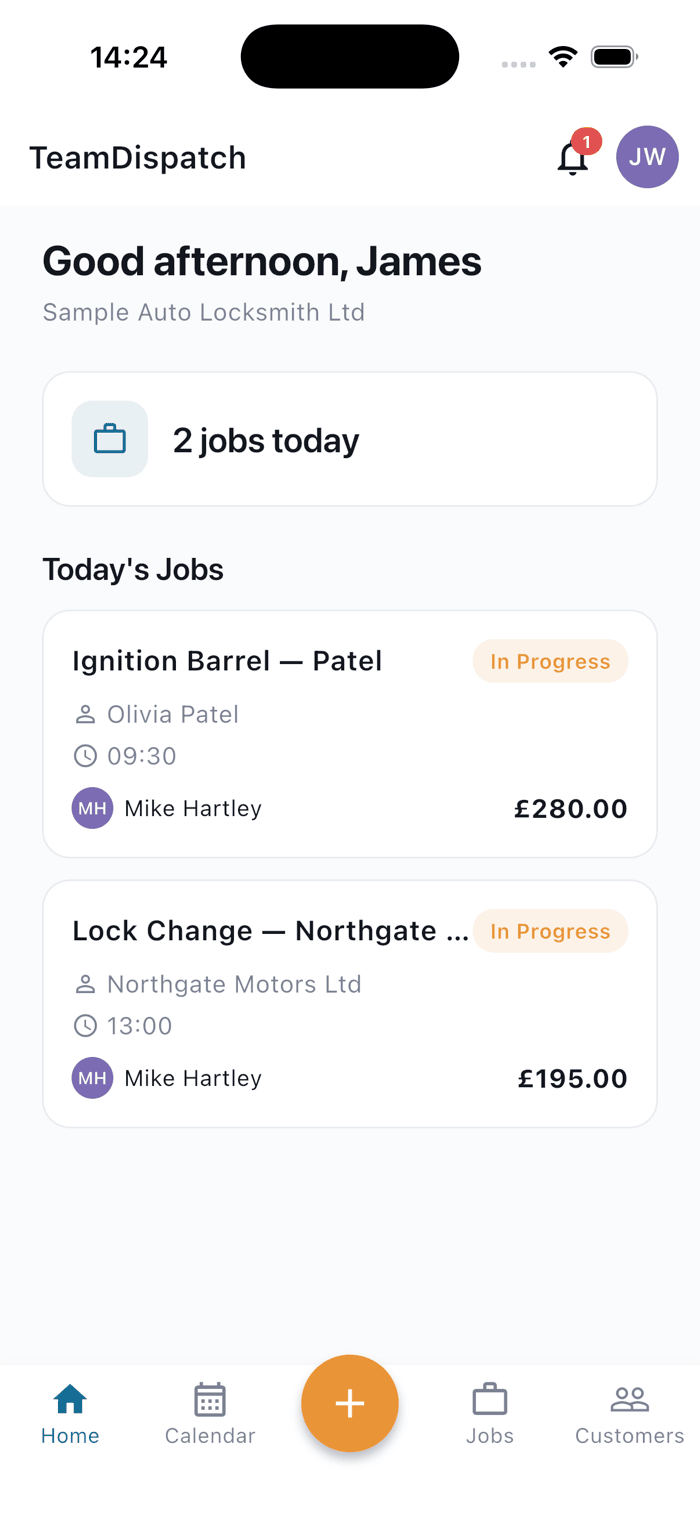
TeamDispatch is a job management app built for tradespeople and small teams on the road. Book jobs, dispatch your crew, keep a proper customer database, and share work with the partners you trust, all in one place, on the phone that’s already in your pocket.
30 days free · from £30/month · cancel any time
Or get the mobile app
Ten trades. One app that finally fits.
Every trade has its own booking fields, completion checklist, and compliance needs. TeamDispatch adapts to yours, not the other way round.
-
Featured
Auto Locksmith
Key cutting, coding, SERMI-ready audit trail.
-
Locksmith
Domestic and commercial lock work.
-
Plumber
Emergency callouts and planned fit-outs.
-
Gas Engineer
Gas Safe records, service intervals.
-
Electrician
Testing, inspection, Part P work.
-
Cleaner
Recurring contracts and one-offs.
-
Mobile Tyre Fitter
Dispatch to the roadside.
-
Mobile Mechanic
On-site repairs and diagnostics.
-
Dog Grooming
Mobile and in-salon bookings.
-
Other trades
Custom job types, fully configurable.
Everything a small trade team actually needs. Nothing it doesn’t.
-
Book & dispatch jobs
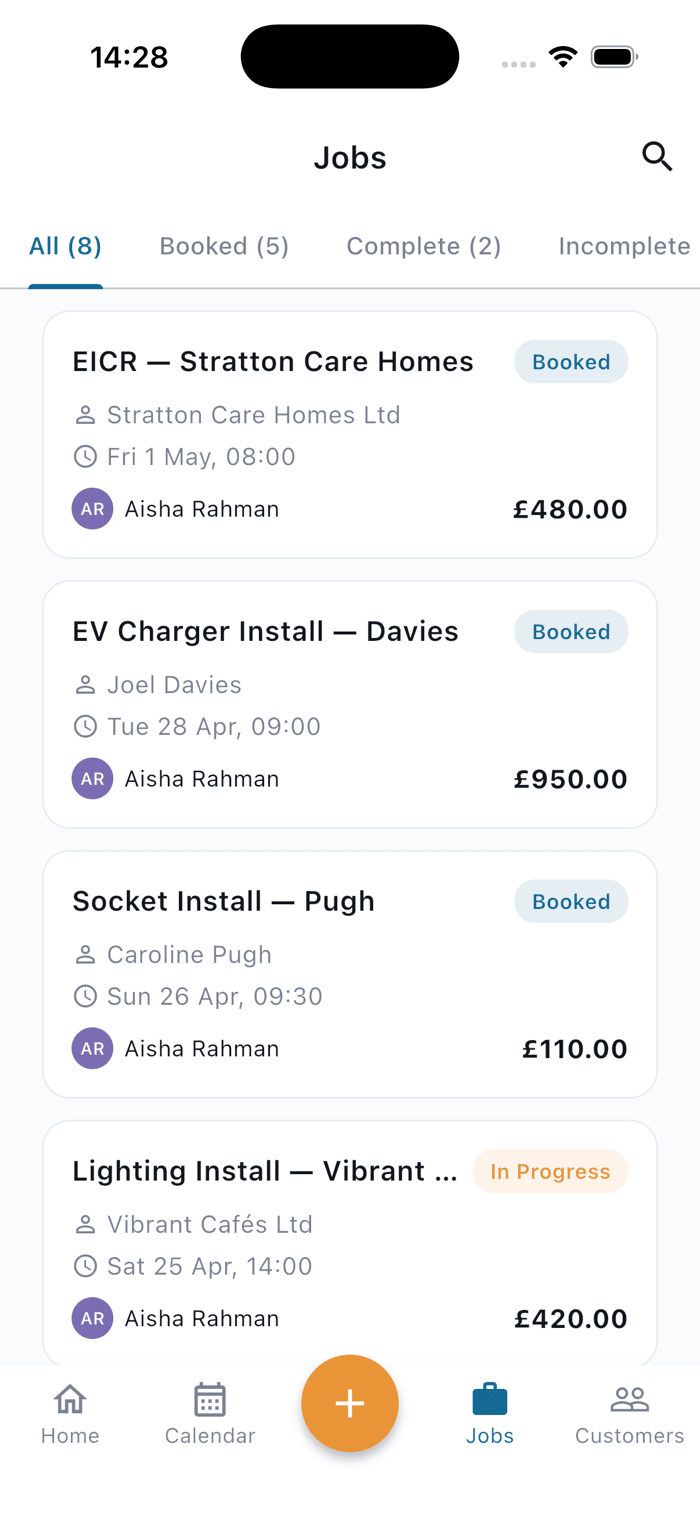
Take a job, assign it, and know instantly who's heading where.
-
Track your whole team
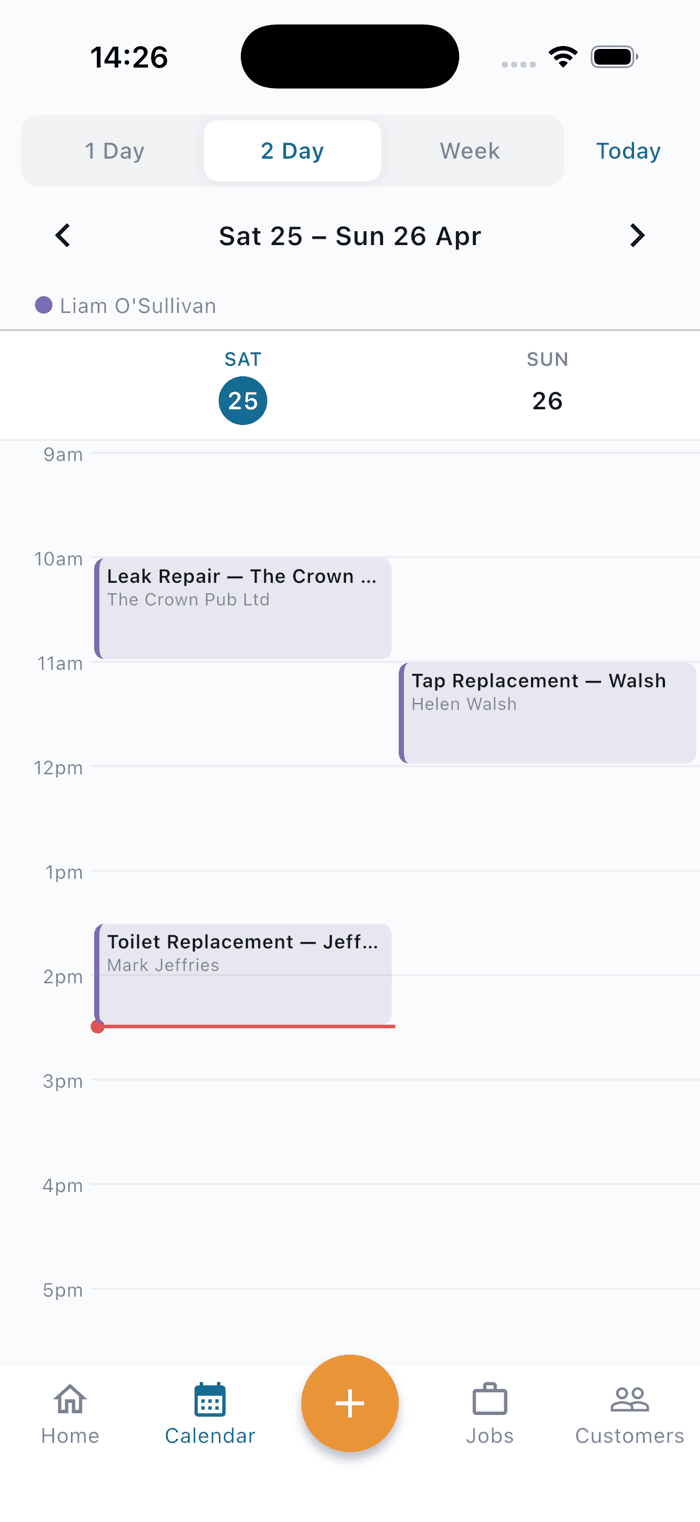
See every engineer's day at a glance. No guesswork, no phone tag.
-
Share jobs with trusted partners
Push overflow to the contractors you already work with, without losing sight of the job.
-
Customer database built in
Every job, every vehicle, every note: stored, searchable, yours.
Now connects with Xero
Link your Xero account and every completed job lines up with its invoice. See what’s paid and open it in Xero in one tap. QuickBooks is coming next.
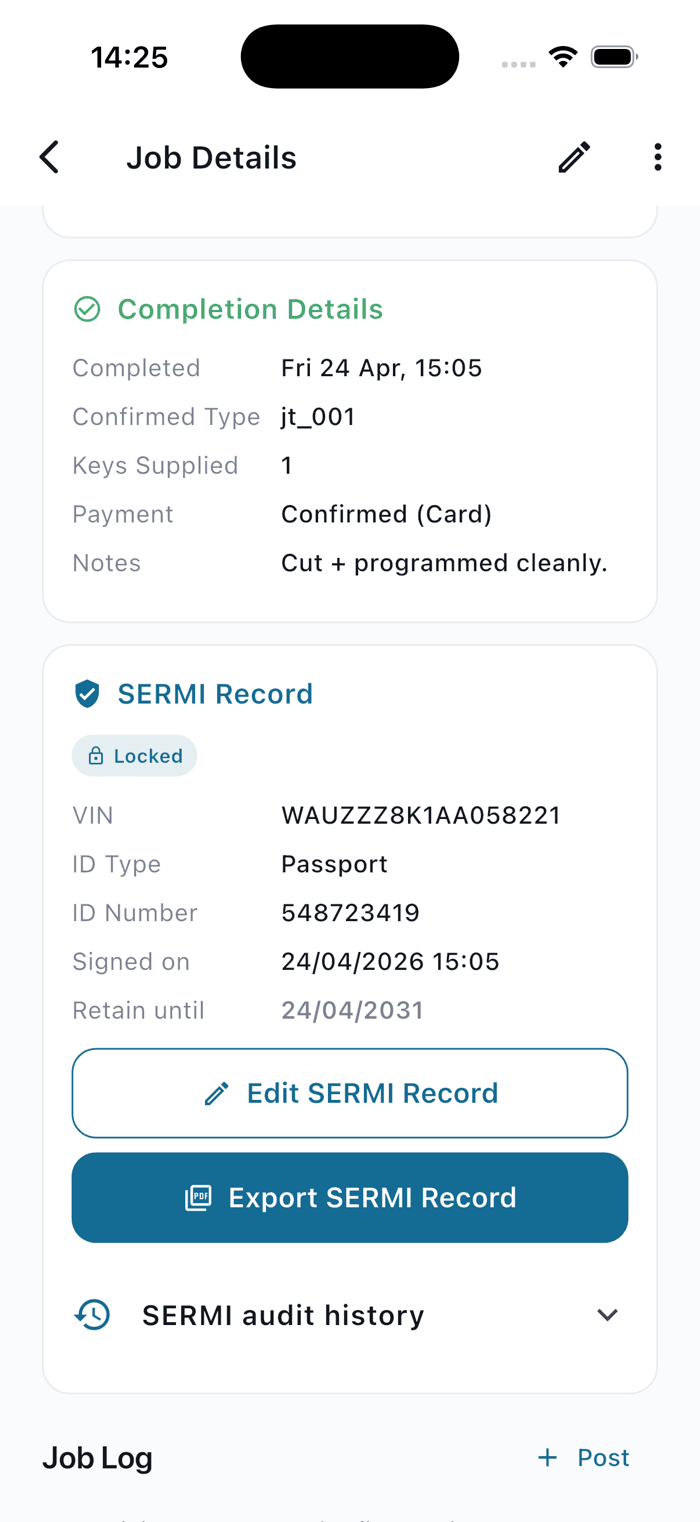
A job, from quote to complete.
Scroll through to see what happens at each stage. The phone on the left updates as you go.
- Step 1
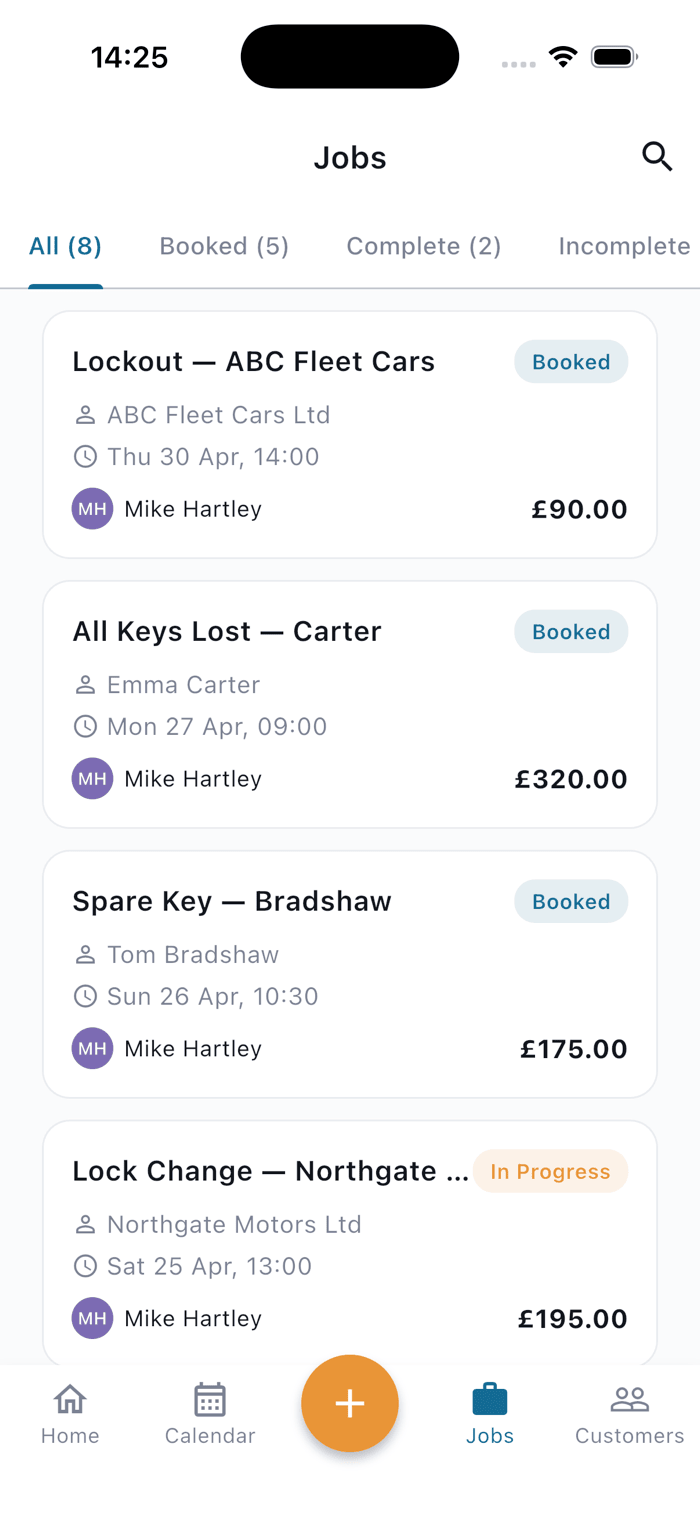
Book it in under a minute.
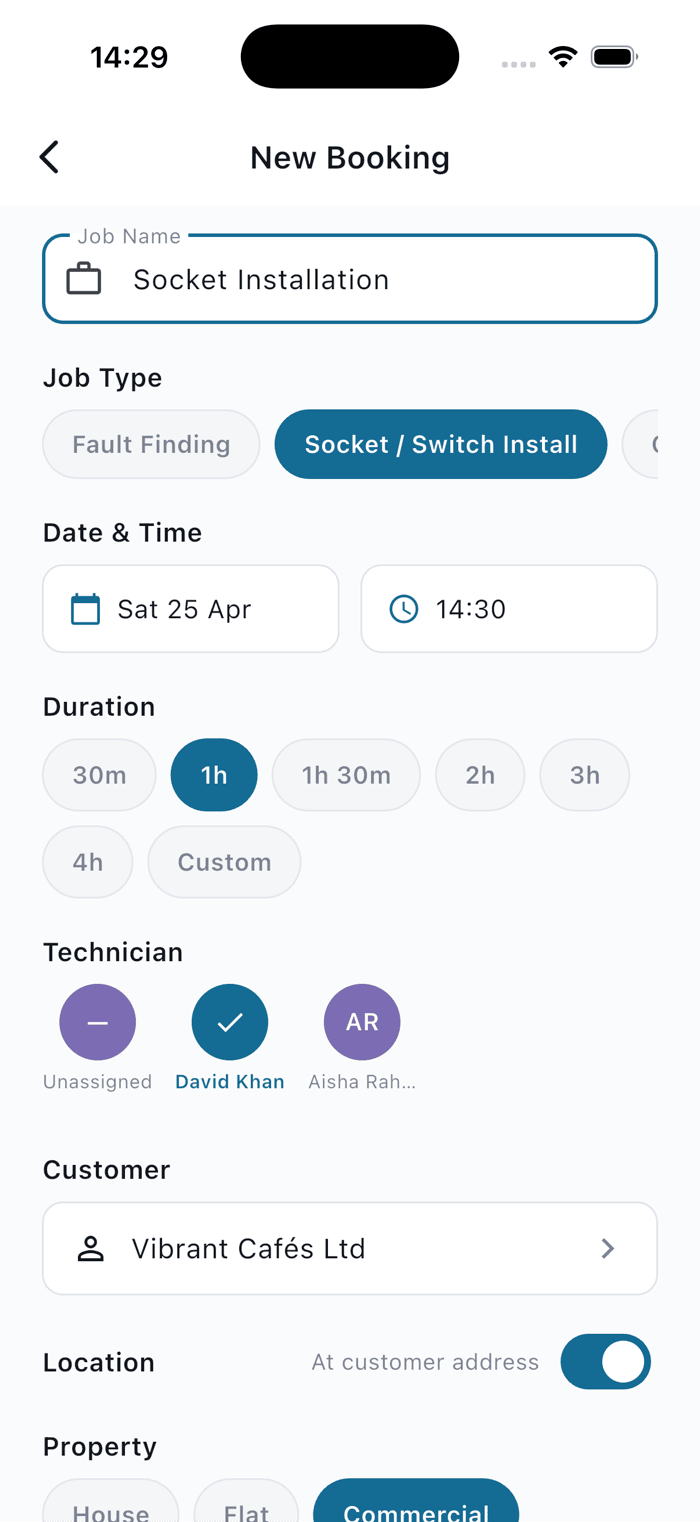
Tap a time slot, pick a customer (or add one on the fly), choose a job type, assign a technician. Done.
- Step 2
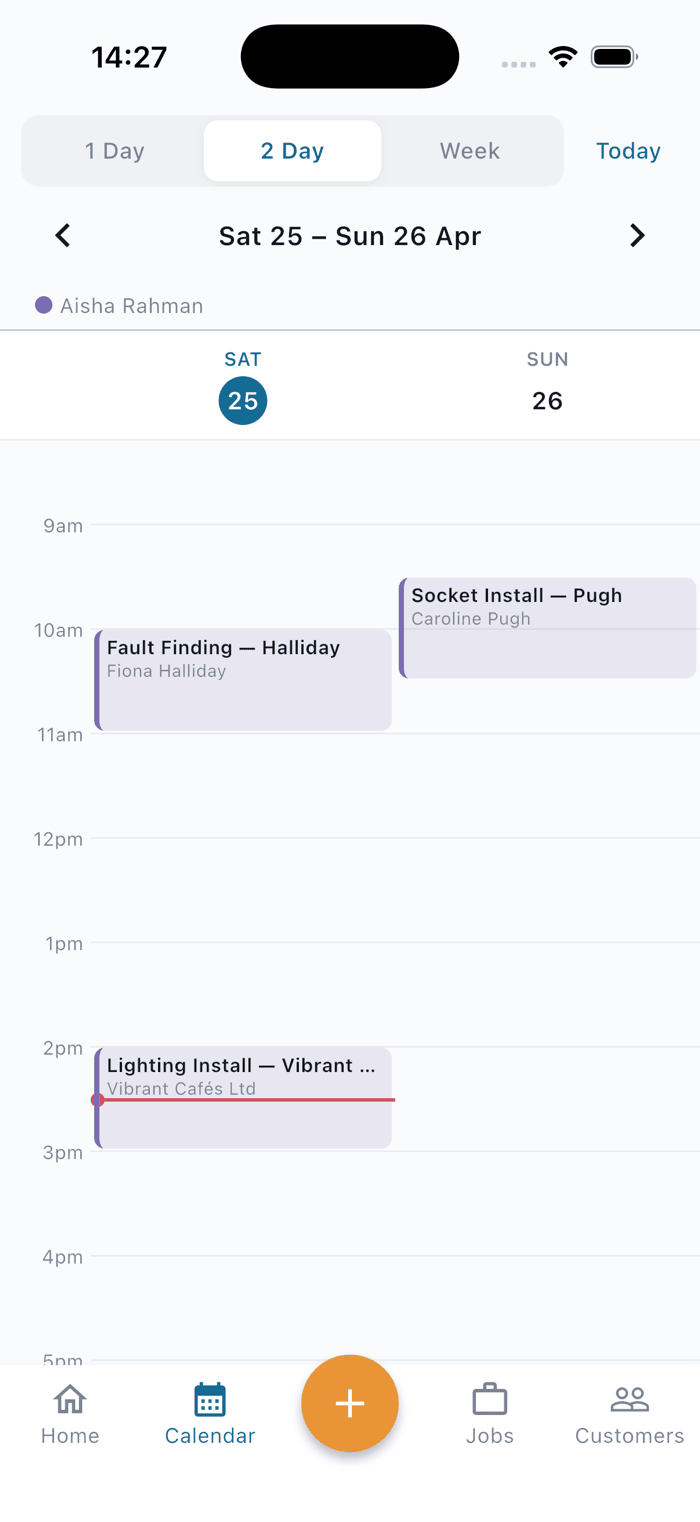
Everyone knows who's going where.
The calendar updates on every device the second you dispatch. Push notifications go out to the assigned tech automatically.
- Step 3
On site, on schedule.
Your tech sees only what they need: their day, the customer's address, any notes left for them. One tap starts the job.
- Step 4
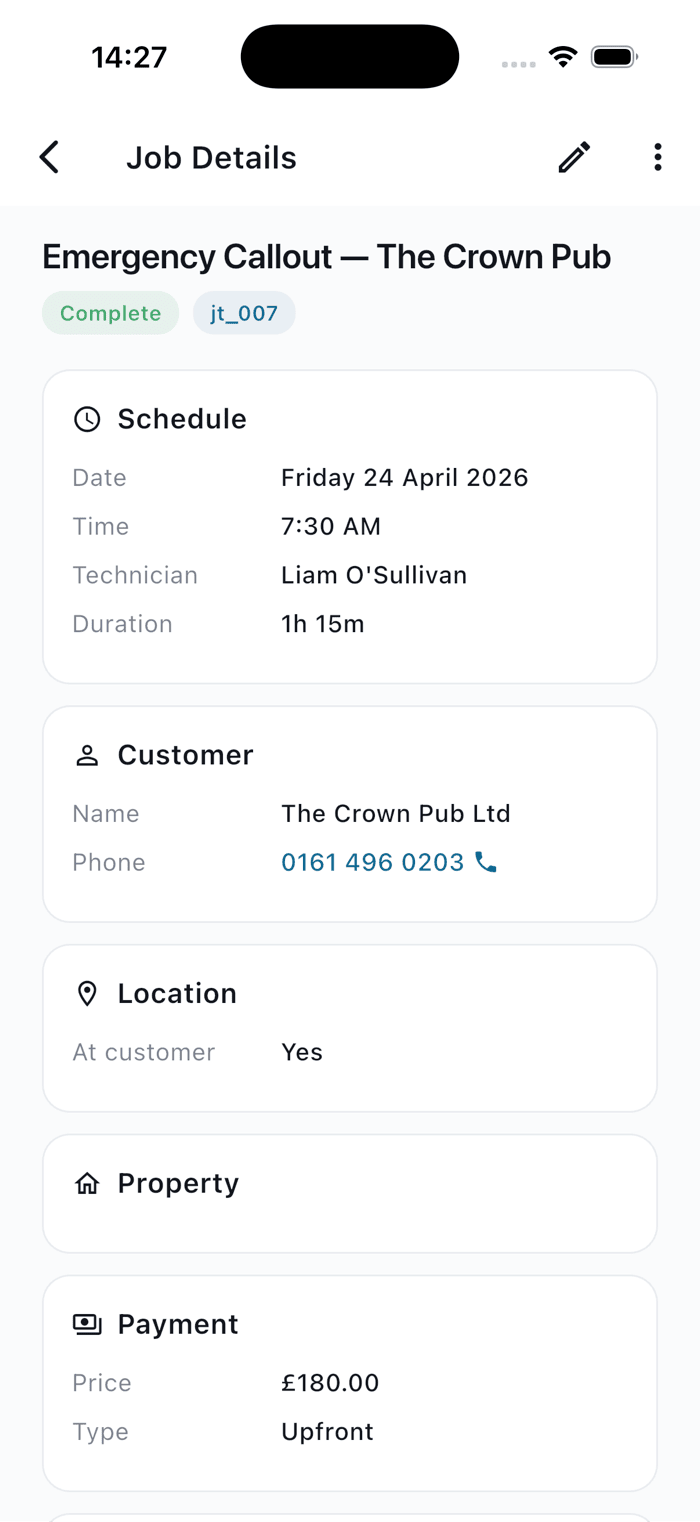
Complete it, properly.
Photos, notes, customer signature, price, payment method. Captured on site, synced instantly back to the office.
- Step 5
Audit-ready, automatically.
For regulated trades like Auto Locksmith, SERMI records are captured alongside the job and retained for five years, no extra paperwork.
Ready to retire the spreadsheet?
Start your free trial in under a minute. Set up your team, book your first jobs, and see if it’s a fit — with the iPhone or Android app on hand whenever you’re on the road.
30 days free · from £30/month · cancel any time
Or get the mobile app